
Chartform
Productivity · Data
Turn any spreadsheet into a beautiful chart. Import CSV or Excel files, build custom visualizations, and save them locally. No cloud, no account.
About Chartform
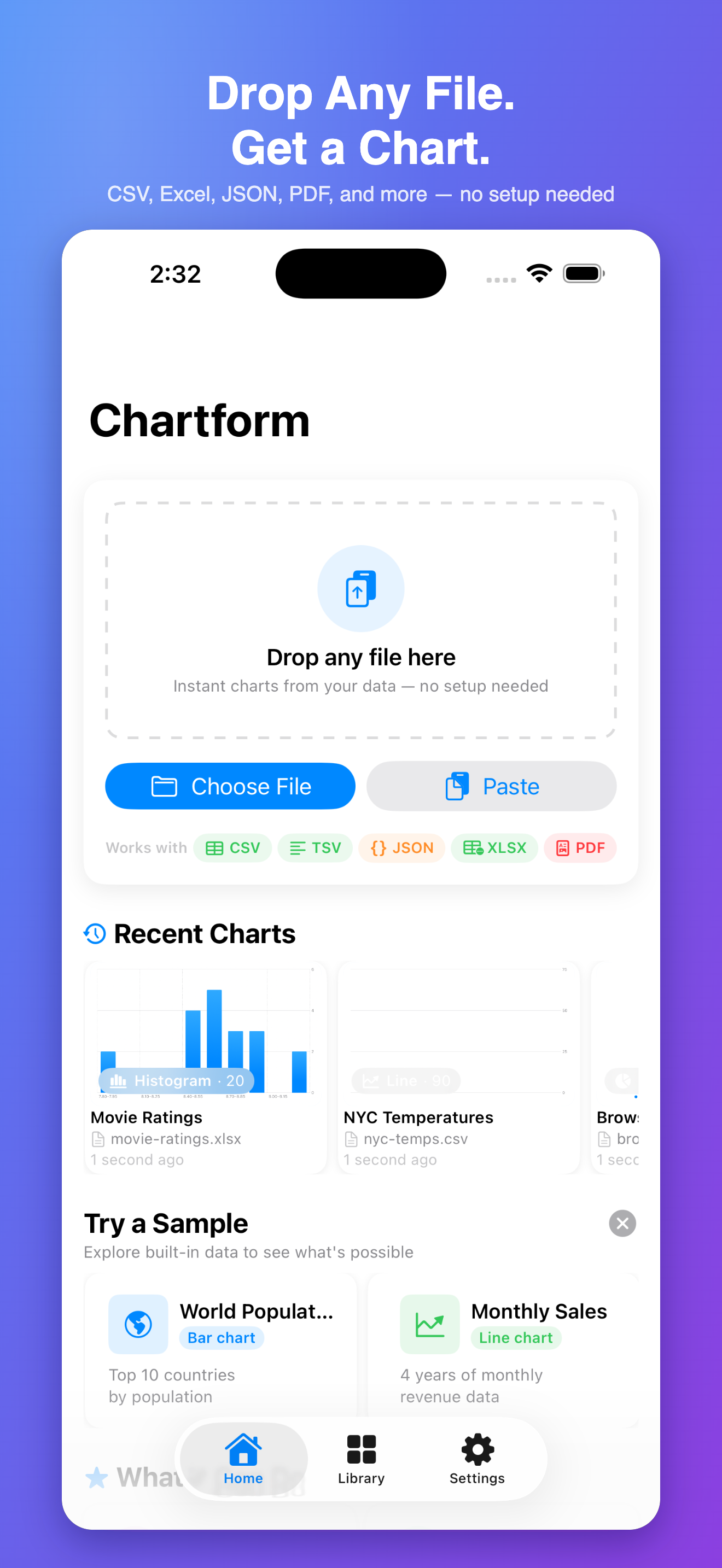
Chartform turns your spreadsheet data into polished, shareable charts, entirely on your iPhone. Import a CSV or Excel file from anywhere on your device, pick your chart type, map your columns, and you have a visualization in seconds.
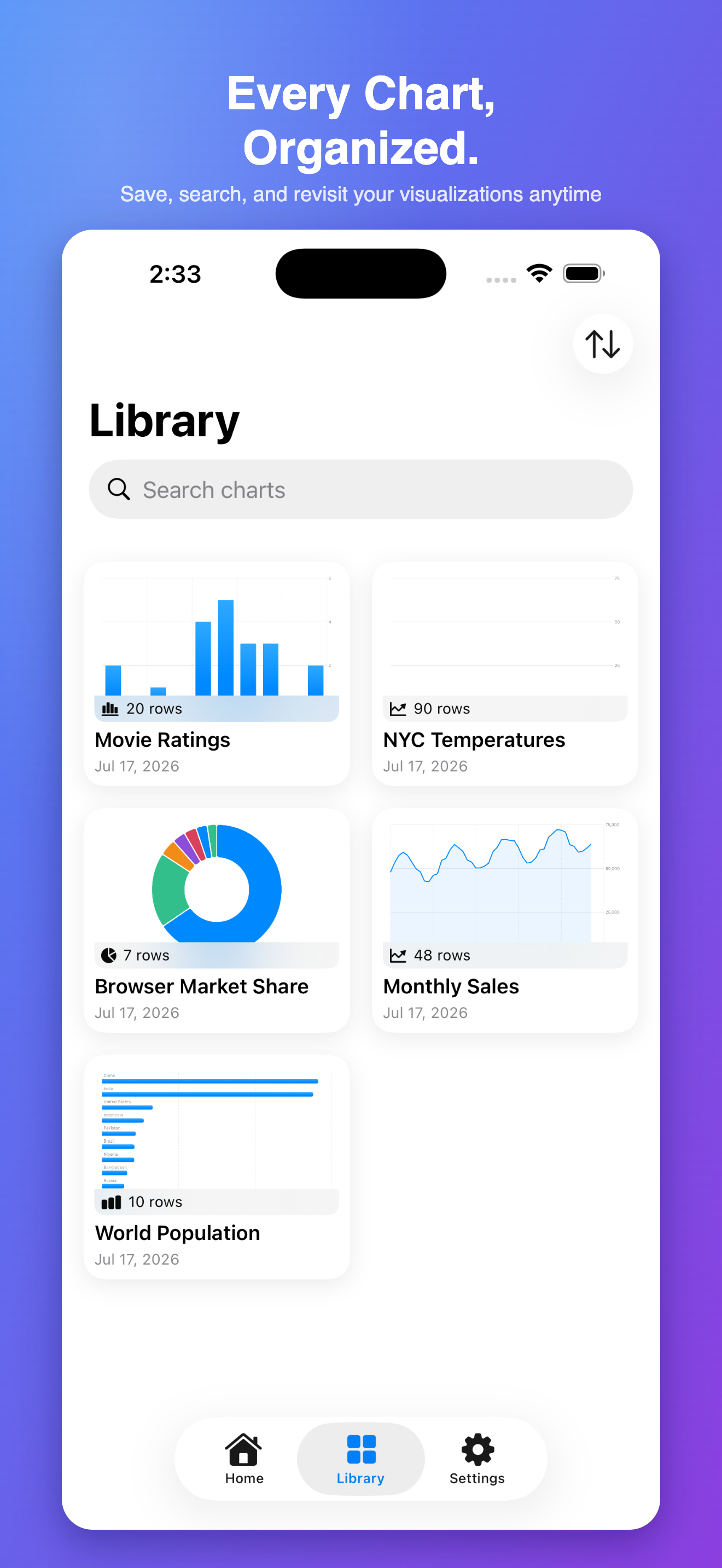
Every chart you create is saved to your local library using SwiftData. Browse your collection, regenerate charts from the same dataset in different styles, and export any visualization as a high-resolution image whenever you need it.
No account. No subscription. No cloud. Chartform is built for people who work with data on the go and need a fast, private way to turn numbers into something they can actually show someone.
Privacy note
Chartform stores everything locally on your device. Imported files and generated charts never leave your phone. We collect no data of any kind.
App Info
- Category
- Productivity
- Platform
- iOS only
- Price
- Free
- Account
- Not required
- Data
- On-device only
The actual app
Features
CSV & Excel Import
Import .csv and .xlsx files directly from your device, iCloud Drive, or any Files-compatible location.
Manual Data Entry
Build datasets from scratch with an intuitive spreadsheet-style table editor.
Chart Builder
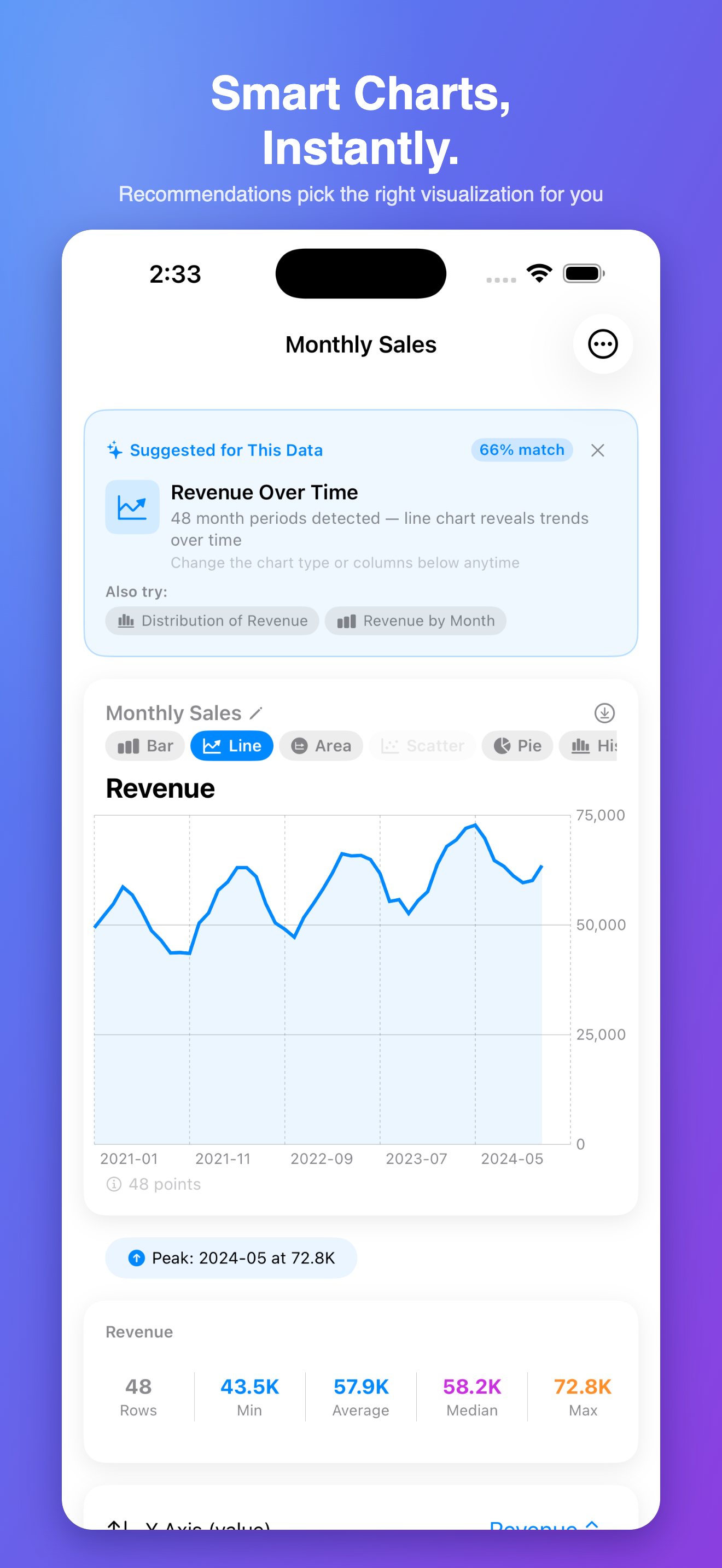
Create bar, line, scatter, and pie charts from any dataset in just a few taps.
Local Chart Library
Save unlimited charts to your on-device library using SwiftData, organized and searchable.
Export & Share
Export any chart as a high-resolution image or share directly via iOS share sheet.
Chart Customization
Adjust colors, labels, axis titles, and legend placement to match your needs.
Multiple Charts Per Dataset
Generate different chart types from the same imported dataset without re-importing.
Offline & Private
No account, no cloud sync, no data leaves your device. Your data is yours.
Built With
Built natively in SwiftUI with Swift Charts for visualization and SwiftData for local chart persistence. Custom CSV and Excel (.xlsx) parsers handle file imports without any external dependencies or network calls.
Chartform
Published by Toastfield · info@toastfield.com